
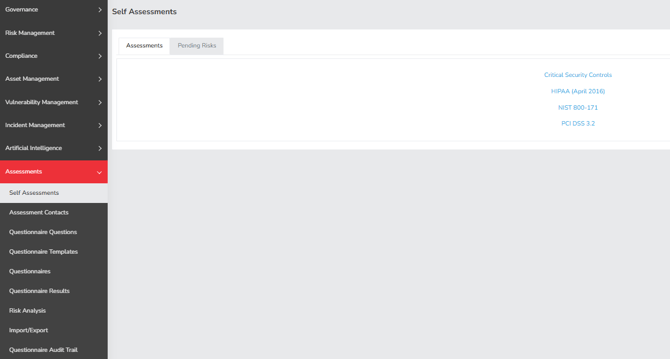
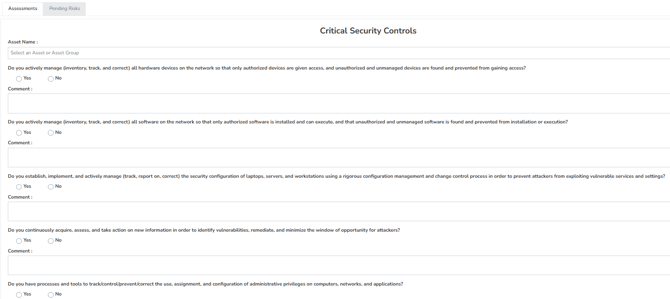
- Critical Security Controls - This brings up the critical security controls assessments where users can answer the questions, then based on the answers Simplerisk will show if there’s any pending risks.
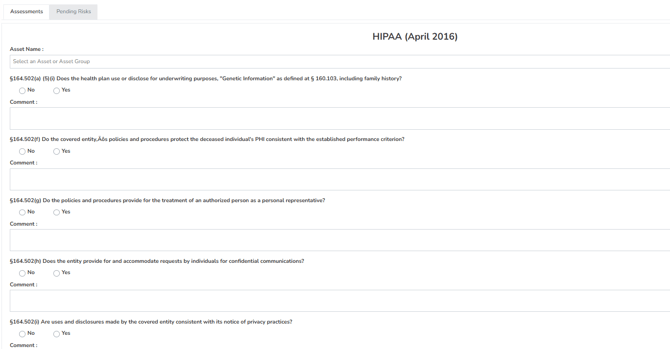
- HIPAA (April 2016)
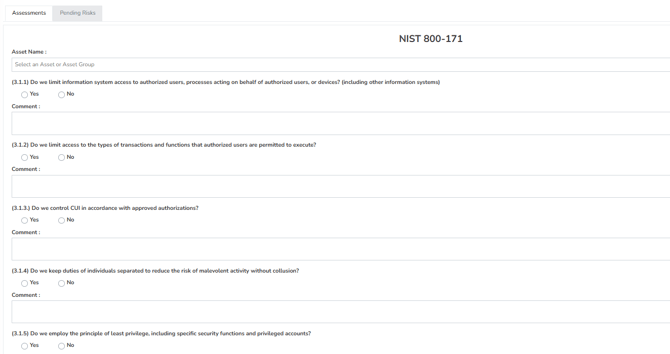
- NIST 800-171
- PCI DSS 3.2
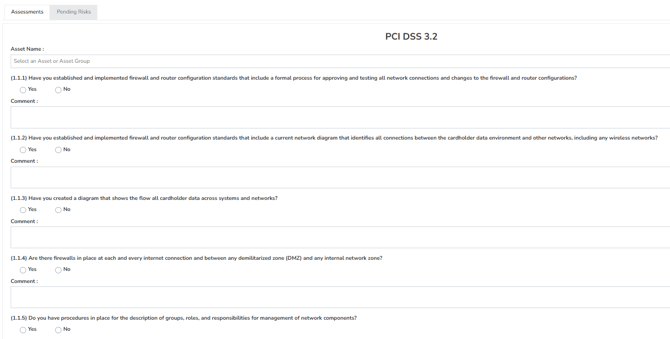
After you submit the assessment, any detected risks will automatically appear under 'Pending Risk.' You will then need to decide whether to “add” or “delete” the pending risk.
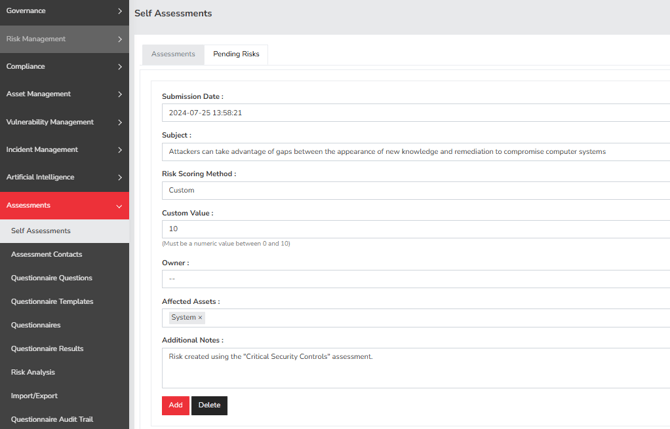
- Submission date - Time stamp of when the risk is submitted
- Subject – The subject is automatically populated
- Risk Scoring Method - This field is where you select the type of scoring you wish to use for a given risk. By default we support 6 methods: Classic, CVSS, DREAD, OWASP, Custom, and Contributing risk. Some short descriptions of each follow:
Classic Risk Rating: This risk rating methodology uses a Likelihood value and an Impact value with a mathematical formula applied to come up with a risk score. Typically something like Risk = Likelihood x Impact. This is covered more in the Normalizing Risk Scores Across Different Methodologies blog post.
CVSS: Also known as the Common Vulnerability Scoring System, CVSS is developed by the Forum of Incident Response and Security Teams (FIRST) organization and is what is used to rate all of the Common Vulnerabilities and Exposures (CVEs) found in the National Vulnerability Database (NVD). It consists of a Base Vector, which has multiple values to estimate likelihood and impact, along with optional values to estimate the Temporal and Environmental impact on your environment.
DREAD: The DREAD risk assessment model was initially used at Microsoft as a simple mnemonic to rate security threats on the basis of Damage, Reproducibility, Exploitability, Affected Users, and Discoverability. We don't see it being used by customers very often, but it has been included in SimpleRisk since very early on in our product history.
OWASP: The OWASP Risk Rating Methodology was created by Jeff Williams, one of the Founders of the OWASP organization, as a means to easily and more accurately assess the likelihood and impact of a web application vulnerability. It's an application-centric play on the Classic Risk Rating described above, where the Likelihood is assessed based on Threat Agent and Vulnerability factors and the Impact is assessed based on Technical and Business factors.
Contributing Risk: This risk scoring methodology came about in SimpleRisk as a custom development effort for a large data center customer in the UK. It is also a play on the Classic Risk Rating described above, but assesses the Impact of the risk against multiple different, customizable, weighted values such as Safety, SLA, Financial and Regulation.
Custom: This is by far the most simple, and potentially the most subjective, risk assessment methodology implemented in SimpleRisk. The idea here is that you simply specify a number ranging from 0 through 10 to assess your risk. Ideally, you would have some external method that you used to calculate that value and attach as evidence, but that may not always be the case. - Custom Value – The value is subjective and can be changed by the user, based on the severity of the risk. Eg: 1 is no risk while 10 is high risk.
- Owner – This is your risk owner field. This is generally assigned to the user who is directly responsible for overseeing the risk moving forward, they may not be the person who directly mitigates the risk but they generally govern the system or process the risk represents. This is a user select dropdown that allows you to select any already defined user in the system.
- Affected Assets – This field shows the assets which are directly related to the risk. You may add additional assets that you think are affected.
- Additional Notes – This field allows you to add any other relevant information that might be useful.
- Add – This button will add a risk.
- Delete - This button will remove a risk.
Summary
The Self Assessment page shows all the assessments that’s available by default and the pending risk that is detected once the assessment is submitted in Simplerisk. This page should have served to answer all questions related to the Available Assessment & Pending Risk page but if you feel anything has been missed or just seek further clarification, please reach out to us at support@simplerisk.com.