
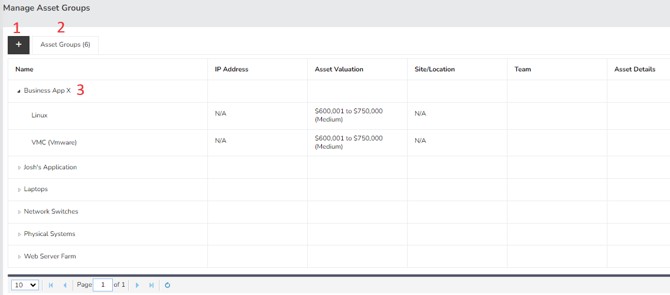
- Add Group – This feature enables you to create new groups easily.
- Asset Group – This section displays the total number of existing groups and serves as the main tab where all groups are listed.
- Name – Here, you can view the previously created groups. By expanding a group name, you can access the specific assets associated with that group.
Summary
The Manage Asset Groups page provides tools to create and manage asset groups. This page should have served to answer all questions related to the managing asset group page but if you feel anything has been missed or just seek further clarification, please reach out to us at support@simplerisk.com.