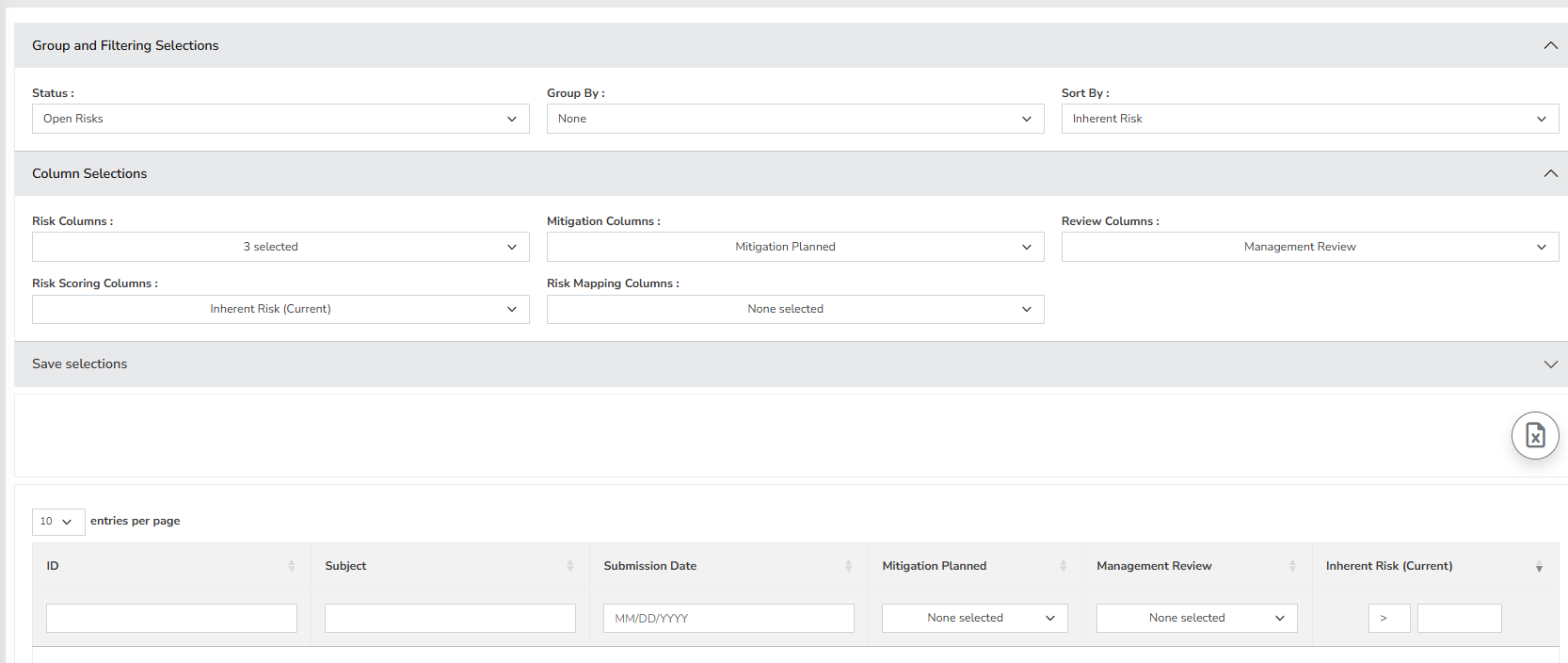
To begin utilizing the Dynamic Risk Report, please go to the “Reporting” menu located on the left side and select “Dynamic Risk Report.” The report is divided into two key sections, and your choices in these sections will influence both the content and format of the report. In the Group and Filtering section, you will find the following options:
- Status: This will filter the risks status such closed, open or all risks.
- Group By: This will group the report by category, control regulation, month submitted, next step, owner, owner manager, project, risks level, risk scoring method, risk source, status, team and technology
- Sort By: This sort the report by inherent risk, ID, subject or residual risk.
The second section, column selections allows you to narrow down the report of a risk on a more granular level. You have the selections of:
- Risk Columns
- Mitigation Columns
- Review Columns
- Risk Scoring Columns
- Risk Mapping Columns
The numerous checkboxes allows you to customize your report to display the desired information. The Dynamic Risk Report is very versatile in that it allows you to select the exact information you want to display out of a given set of risks with very little input on the user. (Below is a sample screenshot of a Dynamic Risk Report).