---
title: 05.04 From Vulnerability to Risk
description: When and how to promote a scanner finding into a SimpleRisk risk — what the Vulnerability Management Extra's Approve action actually does, the…
---
[Skip to content](https://support.simplerisk.com/kb/05-04-from-vulnerability-to-risk#main-content)
English
Show submenu for translations
[Customer portal](https://support.simplerisk.com/tickets?hsLang=en)
[](https://www.simplerisk.com/)
Open main navigation
Close main navigation
- English
Show submenu for translations
- [Customer portal](https://support.simplerisk.com/tickets)
- [Contact us](https://www.simplerisk.com/about-us/contact-us)
[Contact us](https://www.simplerisk.com/about-us/contact-us)
How can we help you?
- There are no suggestions because the search field is empty.
1. [SimpleRisk Knowledge Base](https://support.simplerisk.com/kb?hsLang=en)
2. [User Guide](https://support.simplerisk.com/kb/user-guide?hsLang=en)
3. [05 Threat and Vulnerability Management](https://support.simplerisk.com/kb/user-guide?hsLang=en#05-threat-and-vulnerability-management)
# 05.04 From Vulnerability to Risk
## When and how to promote a scanner finding into a SimpleRisk risk — what the Vulnerability Management Extra's Approve action actually does, the deduplication-by-title behavior to know about, the auto-triage-by-CVSS path, and the manual conversion path for Core customers.
## Why this matters
Most scanner findings shouldn't be risks. The patch process handles them; the team applies the fix in the next maintenance window; the next scan confirms the finding is gone. No risk-register entry is required because no risk-management decision is required — there's nothing to accept, nothing to plan around, nothing to escalate. Treating every finding as a risk drowns the register; treating zero findings as risks misses the ones that genuinely need risk-management treatment.
The vulnerability-to-risk conversion is the editorial decision that picks out the findings that *do* need risk-management treatment. The conversion takes an operational artifact (a scanner finding with a CVE number and a CVSS score) and turns it into a managerial artifact (a risk with an owner, a treatment plan, and a place in the program's prioritization). The transition is what makes the program's vulnerability work legible to leadership; the discipline of doing it correctly (promoting the right findings, not the wrong ones) is what keeps the risk register useful.
The other reason this matters: SimpleRisk's Vulnerability Management Extra automates most of the conversion mechanics, which means the human work moves to the *decision* about whether to promote. The mechanics are reliable; the editorial judgment is the part that matters. Knowing what the mechanics actually do (and what they don't do — they don't recompute the CVSS score, they don't merge with existing risks beyond a title match) helps the editorial decision land where it should.
## Before you start
Have these in hand before promoting findings:
- **The Vulnerability Management Extra installed and configured** with at least one scanner integration producing data into the triage queue. Without the Extra, the only path is manual submission via the Core risk form (see [Recording a Vulnerability](https://support.simplerisk.com/kb/05-02-recording-a-vulnerability?hsLang=en)).
- **The Able to Approve Vulnerability Triage to Risk permission** on your account. The approval action is gated separately from triage queue access; without it, the **Approve Selected Vulnerabilities** button doesn't appear. Companion permission for the rejection path: **Able to Reject Vulnerability Triage to Risk**. (See [Permission Reference](https://support.simplerisk.com/kb/03-03-permission-reference?hsLang=en).)
- **A read on what's already in the risk register.** The Extra deduplicates by title — if a risk with the same subject as the vulnerability already exists, the Extra reuses it rather than creating a duplicate. Knowing what risks already exist for the program prevents the surprise of "I approved this finding and it didn't create a new risk."
- **An editorial criterion for promotion.** "Worth promoting" is a judgment call. Common criteria: CVSS 9.0+ with confirmed exposure, KEV-listed (CISA Known Exploited Vulnerabilities), affecting a high-criticality asset, with no patch available within the standard remediation window, or representing a class of finding that needs governance discussion. Pick a criterion the team applies consistently; ad-hoc decisions produce a register that doesn't represent the program coherently.
## Step-by-step
### 1. Open the triage queue
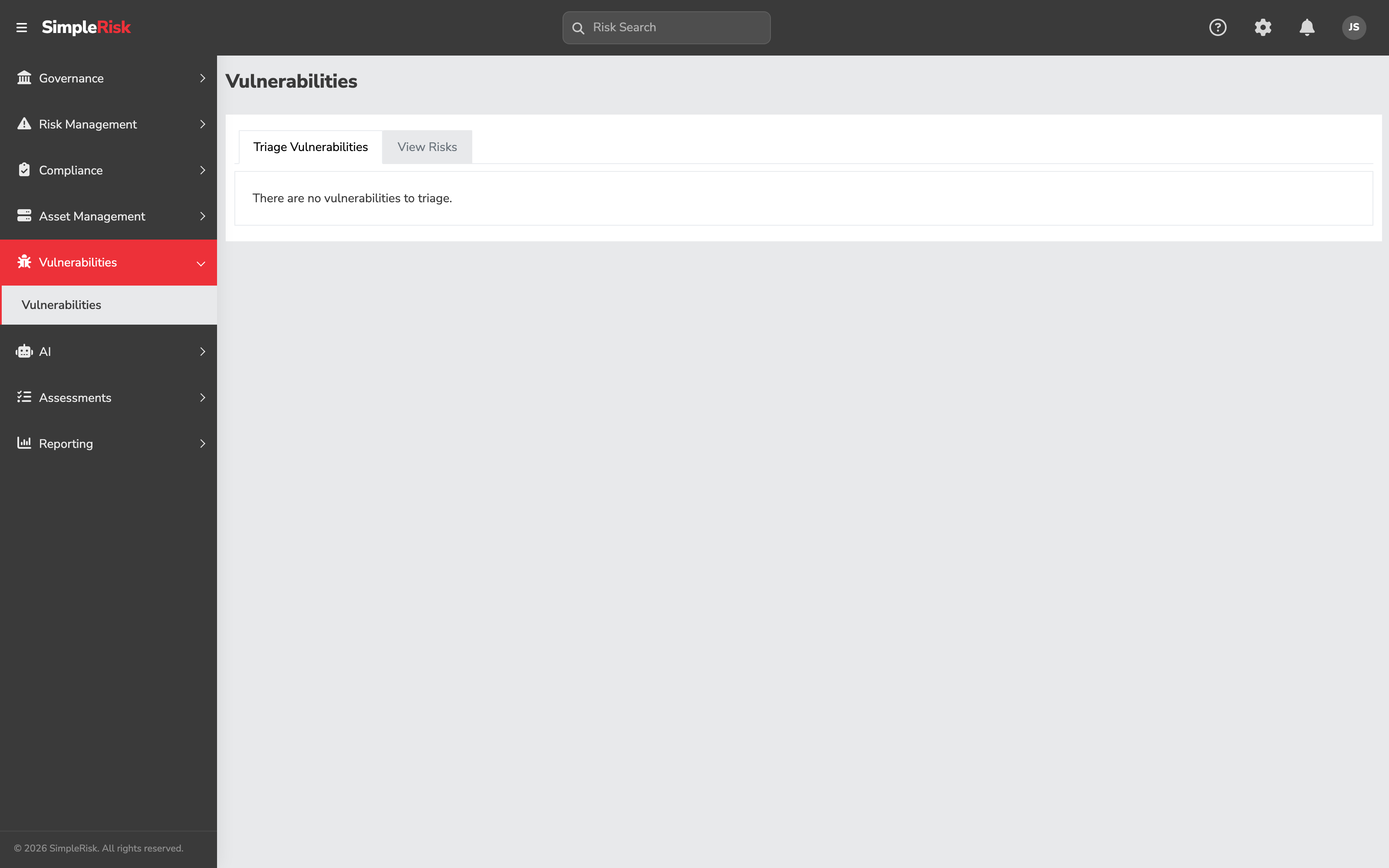
Sidebar: **Vulnerabilities → Triage Vulnerabilities** opens `/vulnerabilities/index.php` with the Triage Vulnerabilities tab active. The queue shows pending vulnerabilities from all enabled scanner platforms, deduplicated by title (same-title findings across multiple assets group into a single row, with the highest CVSS per group surfaced and the affected-asset count visible).
For each row, the visible columns include: Title, CVSS Score, Source Platform, Affected Asset Count, Description (excerpt). Click any row to see the full description and the per-asset detail.
### 2. Decide which findings to promote
Walk the queue with your promotion criterion in hand. For each finding, the decision is one of three:
- **Approve** — promote to a risk. The finding genuinely needs risk-management treatment beyond the patch process.
- **Reject** — hide from the triage queue. The patch process will handle it; no risk-register entry is needed.
- **Defer** — leave in the queue for now. Sometimes a finding's promotion decision depends on context not yet available (a related risk-acceptance decision pending, a scanner re-confirmation needed). Don't take an action; revisit on the next triage pass.
The triage queue isn't first-in-first-out; it's a working surface. Findings stay in the queue until you act on them, so deferring is a valid action.
### 3. Approve a finding
Select the row's checkbox and click **Approve Selected Vulnerabilities**. The Extra:
1. Looks for an existing risk whose subject already matches the vulnerability's title — a name-based deduplication check.
2. **If a risk with that title already exists**, the Extra reuses the existing risk: it updates the vulnerability's `simplerisk_risk_id` column to point at the existing risk and adds the new affected assets to the existing risk's asset linkage. No new risk is created.
3. **If no matching risk exists**, the Extra creates a new risk with the following defaults: - **Status** = "New" - **Subject** = vulnerability title - **Risk Assessment** = vulnerability description text - **Risk Score** = the vulnerability's CVSS2 score (used directly, not recomputed) - **Scoring Method** = CVSS (method 2 — see [Risk Scoring Methodologies](https://support.simplerisk.com/kb/01-03-risk-scoring-methodologies?hsLang=en)) - **Affected Assets** = the assets the vulnerability was found on - All other fields = empty or default
4. Stores the new risk's ID in the vulnerability's `simplerisk_risk_id` column for bidirectional reference.
5. If the **Jira Extra** is also installed and configured, also creates a corresponding Jira issue for the new risk.
The approval is atomic — the row leaves the triage queue and lands in the standard risk register on the same click.
### 4. Reject a finding
Select the row's checkbox and click **Reject Selected Vulnerabilities**. The Extra sets the vulnerability's `hidden` flag to 1, which removes it from the triage queue but doesn't delete the underlying record. The vulnerability detail (per-asset linkage, CVSS, description) stays in the platform-specific table for audit-trail purposes; subsequent scanner syncs won't re-surface a hidden vulnerability.
Rejection is recoverable but not via the UI — restoring a rejected vulnerability requires direct database access to clear the `hidden` flag. Reject confidently; don't expect to undo via the UI.
### 5. Use auto-triage for the loud-and-bad findings
For findings the program would always promote anyway, manual approval is overhead. The Extra's auto-triage configuration converts qualifying findings to risks without human intervention:
- **`extra_vulnmgmt_triage_vulnerabilities_by_score`** — the toggle. When on, the auto-triage runs during each scanner sync.
- **`extra_vulnmgmt_triage_vulnerabilities_by_score_value`** — the CVSS threshold. Findings at or above this score are auto-triaged.
Configure auto-triage at a high threshold (CVSS 9.0+ is typical) so the auto-promoted findings are unambiguously the worst-of-the-worst. Setting the threshold lower (e.g., CVSS 7.0+) produces a risk register where the auto-triaged findings dominate the manual ones, which is the wrong way around — the auto-promoted population should be the small high-confidence subset, with the manual triage queue holding the larger judgment-required population.
Auto-triaged risks behave identically to manually-triaged ones; the only difference is that no human approved the promotion. For programs where every promotion should have a human-decision moment, leave auto-triage off.
### 6. Manual conversion (Core path)
For Core SimpleRisk installations without the Extra, the manual conversion path is to submit the vulnerability as a risk via the standard form. The full walk-through is in [Recording a Vulnerability](https://support.simplerisk.com/kb/05-02-recording-a-vulnerability?hsLang=en); the relevant fields:
- **Subject** — the vulnerability identifier and brief description.
- **Risk Source** — set to "Vulnerability Scanner" or equivalent.
- **Risk Scoring Method** — CVSS, with the metrics from the scanner.
- **Affected Assets** — link to the systems with the vulnerability.
- **Tags** — `vulnerability` (and optionally a per-scanner tag).
The Core path is per-finding manual; there's no automatic conversion. For low scanner volumes (dozens per month) it's workable; for higher volumes the [Vulnerability Management Extra](https://support.simplerisk.com/kb/05-03-the-vulnmgmt-extra?hsLang=en) is the right answer.
### 7. After promotion: track the risk like any other
Once promoted, the risk flows through the standard SimpleRisk workflow — review, scoring adjustment, mitigation planning, governance approval, eventual closure. The vulnerability source is no longer privileged; the risk is now operationally identical to risks from other sources, just with a `vulnerability` tag (Core path) or a non-null `simplerisk_risk_id` linkage in the underlying vulnerability table (Extra path) marking its origin.
The bidirectional reference matters when the risk is closed. Closing the SimpleRisk risk doesn't automatically clear the vulnerability from the scanner; the next scan will report whether the vulnerability is actually gone. Use the per-vulnerability follow-up rather than the risk closure as the operational signal that the work is complete.
## Common pitfalls
A handful of patterns recur with vulnerability-to-risk conversion.
- **Elevating every finding.** This is the most common failure pattern. Approving every triage queue entry produces a risk register full of routine vulnerabilities the patch process would have handled silently. The triage step exists for editorial judgment; use it. Most findings should be rejected, not approved.
- **Setting auto-triage too aggressively.** Auto-triage at CVSS 7.0+ produces dozens to hundreds of auto-promoted risks per scan cycle; the team only learns about them on the next risk dashboard review. Set auto-triage at CVSS 9.0+ (or off) so the auto-promoted population is small enough that nobody's surprised by it.
- **Approving a finding that creates a duplicate risk.** The Extra deduplicates by *title*. If you approve a finding whose title doesn't exactly match an existing risk's subject, you'll get a new risk even when a related risk already exists. If you want to merge into the existing risk instead, either rename the existing risk to match the vulnerability's title before approving, or skip the Extra's approval and add the affected assets to the existing risk manually.
- **Confusing rejection with deletion.** Rejecting hides the finding from the triage queue but preserves the underlying vulnerability record (and its per-asset linkage) for audit purposes. The reject is right when you don't want the finding promoted *and* you don't want to keep seeing it in the queue. It's wrong when you want to delete the vulnerability record entirely (which requires direct database action and isn't usually appropriate).
- **Treating the promoted risk's CVSS score as the residual risk.** The Extra populates the new risk with the vulnerability's CVSS2 score directly. CVSS describes vulnerability severity in the abstract; *residual* risk is what's left after your controls and mitigations apply. Don't leave the CVSS as the residual — adjust the CVSS Environmental metrics to reflect your context (see [Risk Scoring Methodologies](https://support.simplerisk.com/kb/01-03-risk-scoring-methodologies?hsLang=en)) and add a mitigation plan with a reasonable mitigation percent so the residual reflects actual exposure.
- **Forgetting that rejected vulnerabilities don't unhide on rescan.** A rejected vulnerability stays hidden across subsequent scanner syncs. If the same vulnerability re-appears (a new patch introduces it again, the affected systems get re-deployed without the fix), the Extra won't re-surface it because the `hidden` flag persists. For findings you reject because "we patched it," verify with the next scan rather than relying on the queue going quiet.
- **Approving without reviewing the affected-asset list.** A scanner finding may report affected assets the program doesn't actually have responsibility for (a development server in a partner environment, a test instance that's been retired). Approving without review imports the bad asset references along with the vulnerability. Open the row's per-asset detail before approving; if the assets aren't all yours, either reject and handle out-of-band, or approve and clean up the linkage on the resulting risk.
- **Using rejection as a backlog-management tool.** Rejecting findings the team intends to come back to is a way to clear the queue visually, but it loses the queue position and the next scanner sync won't re-surface it. For findings you actively want to defer, leave them in the queue rather than rejecting them; the queue's purpose is to hold work, not just to be empty.
- **Not noticing when auto-triage is producing the same risk repeatedly.** Auto-triage is also subject to title-based deduplication: if a CVSS-9.5 finding with the same title appears in three consecutive scan cycles, the Extra reuses the same risk each time (adding any new affected assets). The risk's update history shows the assets accumulating, but no new risk is created. This is the right behavior; it's worth knowing because "auto-triage isn't creating new risks" sometimes looks like a bug and is actually the deduplication working.
## Related
- [What is Vulnerability Management?](https://support.simplerisk.com/kb/05-01-what-is-vulnerability-management?hsLang=en)
- [Recording a Vulnerability](https://support.simplerisk.com/kb/05-02-recording-a-vulnerability?hsLang=en)
- [The Vulnerability Management Extra](https://support.simplerisk.com/kb/05-03-the-vulnmgmt-extra?hsLang=en)
- [Risk Scoring Methodologies](https://support.simplerisk.com/kb/01-03-risk-scoring-methodologies?hsLang=en)
- [Tying Risks to Assets](https://support.simplerisk.com/kb/04-04-tying-risks-to-assets?hsLang=en)
- [Permission Reference](https://support.simplerisk.com/kb/03-03-permission-reference?hsLang=en)
- [FAQs](https://support.simplerisk.com/kb/faqs?hsLang=en)
- [SimpleRisk Extras](https://support.simplerisk.com/kb/simplerisk-extras?hsLang=en#main-content)
- [Vulnerability Management Extra](https://support.simplerisk.com/kb/simplerisk-extras?hsLang=en#vulnerability-management-extra)
- [Team Separation Extra](https://support.simplerisk.com/kb/simplerisk-extras?hsLang=en#team-separation-extra)
- [Import-Export Extra](https://support.simplerisk.com/kb/simplerisk-extras?hsLang=en#import-export-extra)
- [Administrator Guide](https://support.simplerisk.com/kb/administrator-guide?hsLang=en#main-content)
- [00 About This Guide](https://support.simplerisk.com/kb/administrator-guide?hsLang=en#00-about-this-guide)
- [01 Installation and Deployment](https://support.simplerisk.com/kb/administrator-guide?hsLang=en#01-installation-and-deployment)
- [02 Upgrades and Maintenance](https://support.simplerisk.com/kb/administrator-guide?hsLang=en#02-upgrades-and-maintenance)
- [03 Users and Permissions](https://support.simplerisk.com/kb/administrator-guide?hsLang=en#03-users-and-permissions)
- [04 Authentication](https://support.simplerisk.com/kb/administrator-guide?hsLang=en#04-authentication)
- [05 Customization](https://support.simplerisk.com/kb/administrator-guide?hsLang=en#05-customization)
- [06 Configuring Risk and Compliance](https://support.simplerisk.com/kb/administrator-guide?hsLang=en#06-configuring-risk-and-compliance)
- [07 Integrations](https://support.simplerisk.com/kb/administrator-guide?hsLang=en#07-integrations)
- [08 The API](https://support.simplerisk.com/kb/administrator-guide?hsLang=en#08-the-api)
- [09 Encryption and Data Security](https://support.simplerisk.com/kb/administrator-guide?hsLang=en#09-encryption-and-data-security)
- [10 Workflows and Automation](https://support.simplerisk.com/kb/administrator-guide?hsLang=en#10-workflows-and-automation)
- [11 Reporting and Auditing](https://support.simplerisk.com/kb/administrator-guide?hsLang=en#11-reporting-and-auditing)
- [12 Operations](https://support.simplerisk.com/kb/administrator-guide?hsLang=en#12-operations)
- [13 Reference](https://support.simplerisk.com/kb/administrator-guide?hsLang=en#13-reference)
- [User Guide](https://support.simplerisk.com/kb/user-guide?hsLang=en#main-content)
- [00 Foundations of GRC](https://support.simplerisk.com/kb/user-guide?hsLang=en#00-foundations-of-grc)
- [01 Risk Management](https://support.simplerisk.com/kb/user-guide?hsLang=en#01-risk-management)
- [02 Compliance Management](https://support.simplerisk.com/kb/user-guide?hsLang=en#02-compliance-management)
- [03 Governance](https://support.simplerisk.com/kb/user-guide?hsLang=en#03-governance)
- [04 Asset and Data Inventory](https://support.simplerisk.com/kb/user-guide?hsLang=en#04-asset-and-data-inventory)
- [05 Threat and Vulnerability Management](https://support.simplerisk.com/kb/user-guide?hsLang=en#05-threat-and-vulnerability-management)
- [06 Assessments](https://support.simplerisk.com/kb/user-guide?hsLang=en#06-assessments)
- [07 Incident Management](https://support.simplerisk.com/kb/user-guide?hsLang=en#07-incident-management)
- [08 Audit and Reporting](https://support.simplerisk.com/kb/user-guide?hsLang=en#08-audit-and-reporting)
- [09 Day-to-Day SimpleRisk](https://support.simplerisk.com/kb/user-guide?hsLang=en#09-day-to-day-simplerisk)
- [10 Continuous Improvement](https://support.simplerisk.com/kb/user-guide?hsLang=en#10-continuous-improvement)
- [SimpleRisk User Guides](https://support.simplerisk.com/kb/simplerisk-user-guides?hsLang=en)
- [Troubleshooting](https://support.simplerisk.com/kb/troubleshooting?hsLang=en)
- [SimpleRisk Hosted](https://support.simplerisk.com/kb/simplerisk-hosted?hsLang=en)
- [How To videos](https://support.simplerisk.com/kb/how-to-videos?hsLang=en)
[](https://www.simplerisk.com)
Copyright © 2026, SimpleRisk, Inc.